MAPDESKPlans, on the ground

Every plan is a drawing.
Until you stand on it.

iPhone & AndroidPairs with your rover

Your drawing, laid out on the actual ground, from the phone already in your pocket.

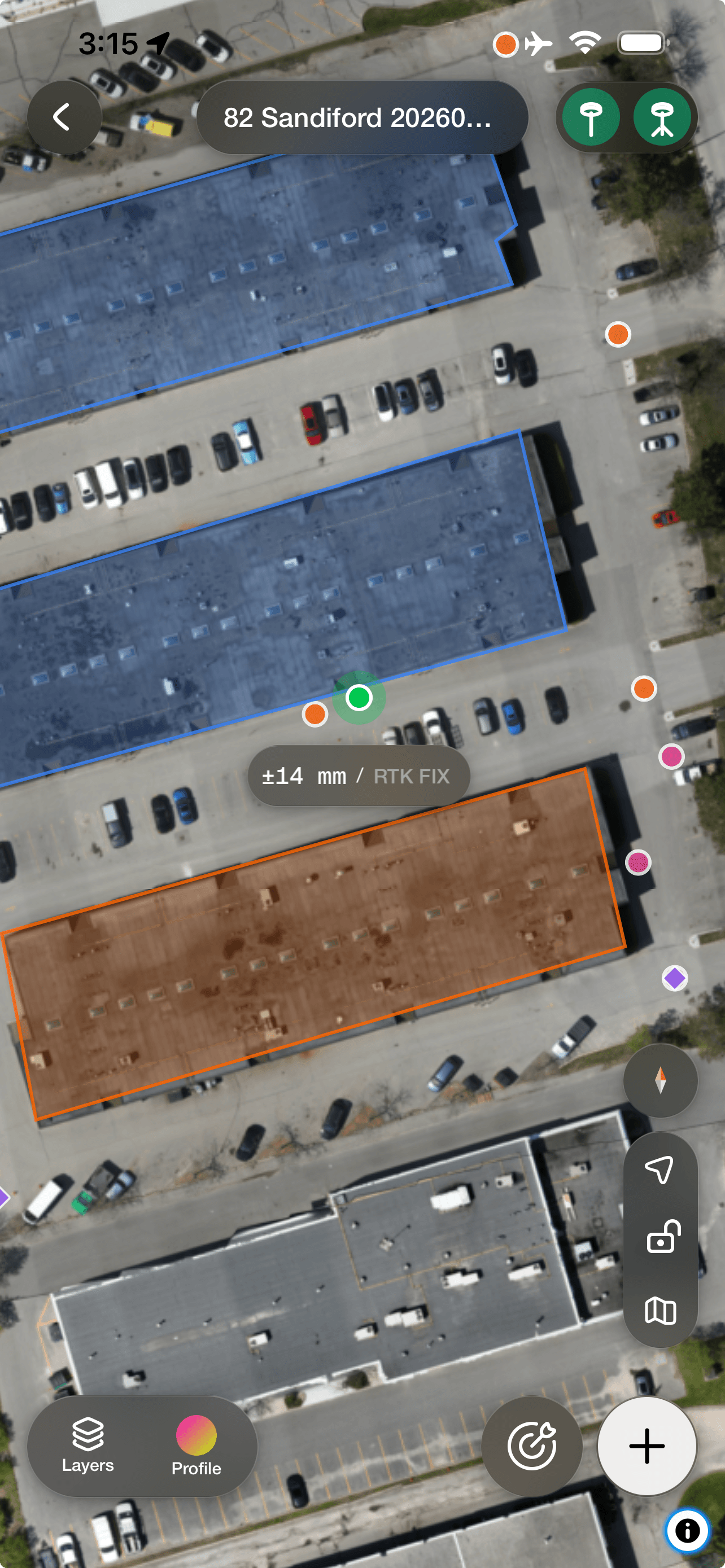
Mapdesk showing a plan drawn over aerial imagery with captured points and a live accuracy readout
01Highlights

Get the highlights.

Your plan, at full scale

Drawn on the ground in front of you, in the place it describes — not on a screen you translate from.

Walk to any point

Tap it and the screen takes you there. You'll know the moment you're standing on it.

It shows its accuracy

The live figure is on screen the whole time. You decide whether it's good enough for this point.

Quick, Standard, Precise

Five seconds, thirty, or three minutes on a point. You choose how sure you need to be.

Pairs with your rover

Bluetooth to the receiver already in your truck. No cradle, no adapter, no second app.

Nothing to export

Every capture is at the desk before you've packed up. No card, no cable, no naming files.

02On the ground

You can read a plan anywhere.
Except the one place it describes.

A drawing is relative. It only means anything next to other things on the sheet. None of those are in the field with you.

So the job becomes translation. Tape measures, offsets, someone holding the other end.

Mapdesk removes that step. The drawing goes on the ground at full scale, while you stand in it.

What's left is the actual work. Go to the spot. Check it. Mark it.

Mapdesk showing a plan drawn over aerial imagery with captured points and a live accuracy readout
01Stakeout

Walk to any point.
Know when you're on it.

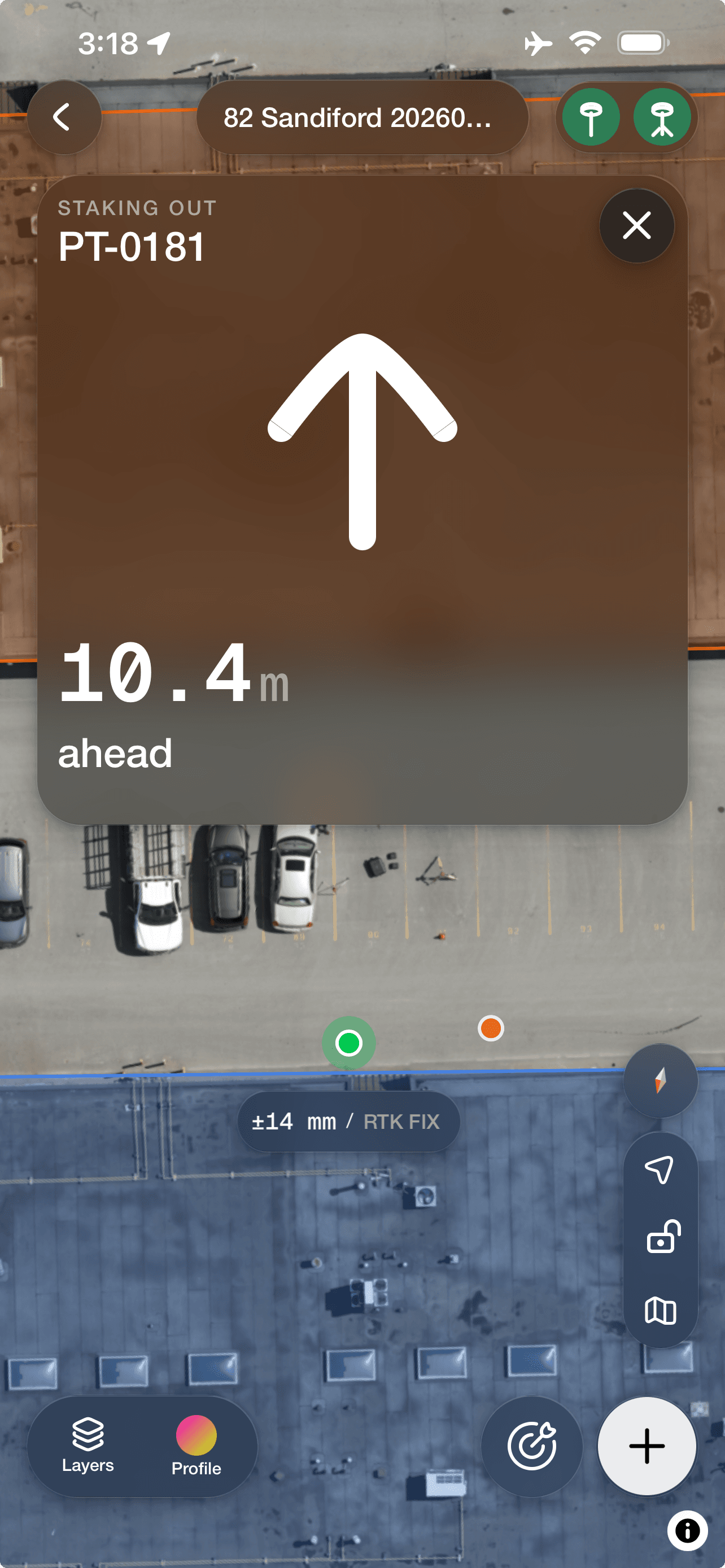
Pick a point. The screen takes you to it, then tells you when you're on it. No tape, no offsets, no second person.

Mapdesk · Find
Mapdesk guiding to a point with a large arrow and the remaining distance
02Capture

Record what's really there.
Not what the drawing assumed.

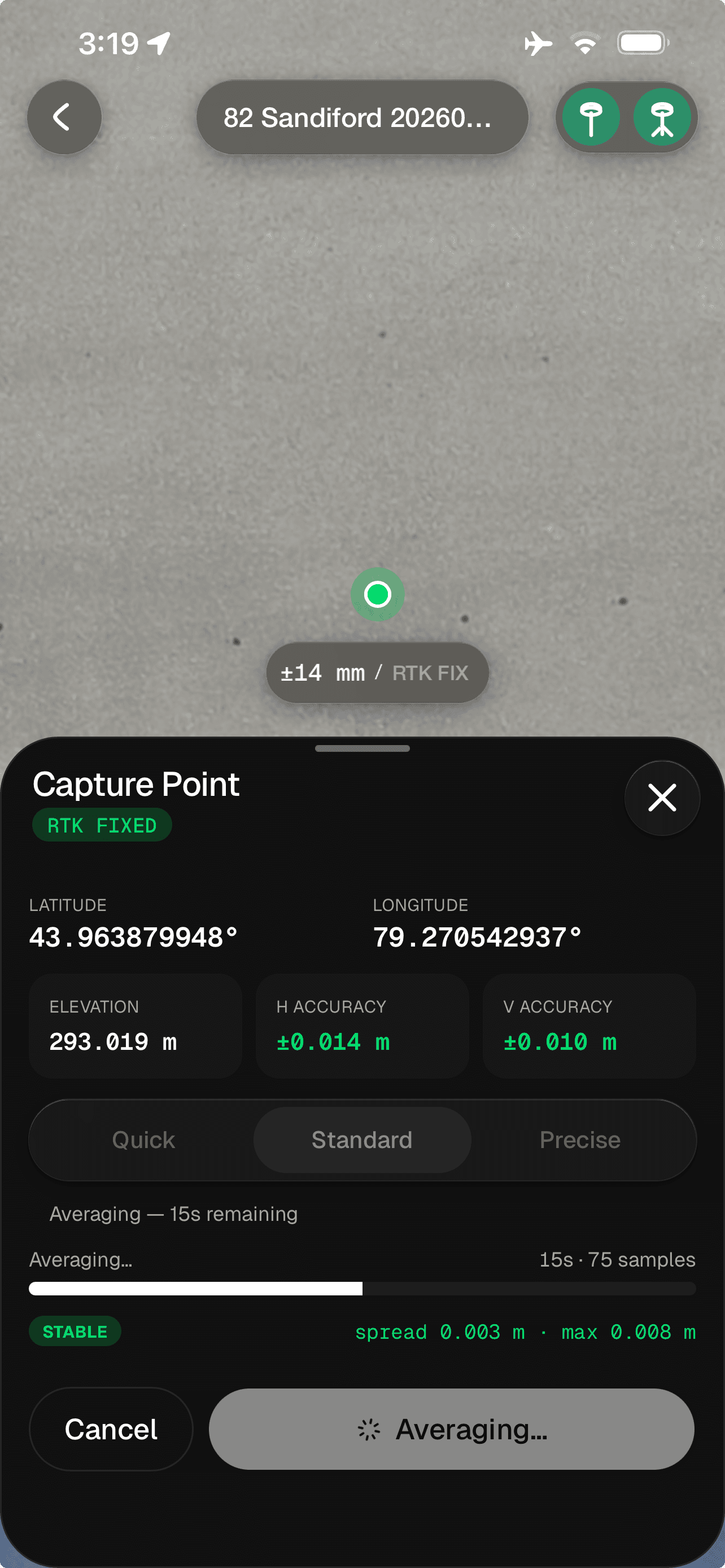
Drop a point where you stand and Mapdesk keeps it. Add the things the drawing never knew about.

Mapdesk · Record
Mapdesk capturing a point with a live accuracy readout and a stability indicator
03Layers

A busy job,
still readable.

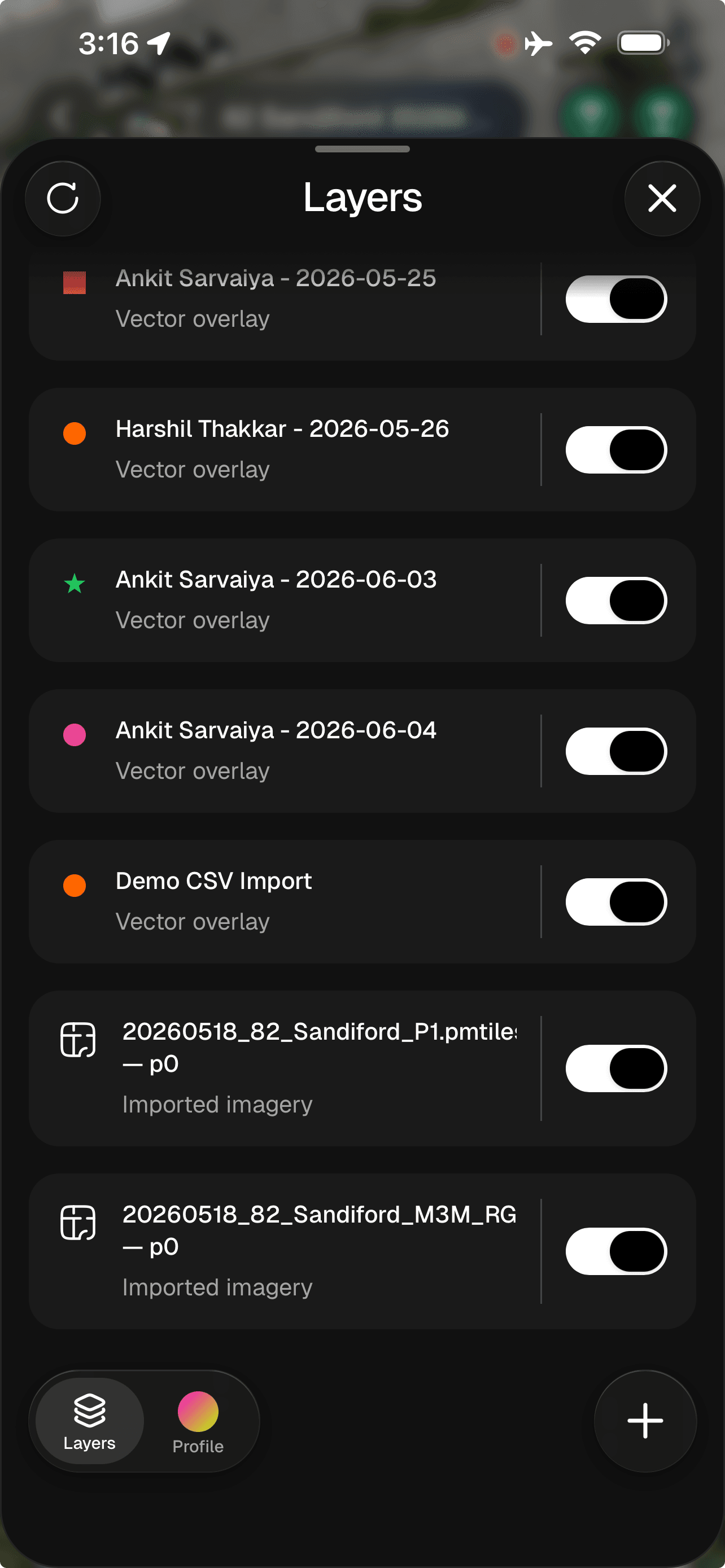
Colour every layer your way and switch drawings on and off, so four revisions don't become one mess.

Mapdesk · Layers
Mapdesk layers panel with colour-coded overlays and visibility toggles
04Confidence

It tells you when to trust it.
And when not to.

You don't have to know anything about GPS to know whether this point is good.

Steady

Hold still and it stops moving. Keep the point.

Drifting

It's wandering. Wait a moment before you save.

Moving

You moved, or the sky did. Don't keep this one.

The number never hides. Live accuracy stays on screen while you work.

Take longer when it matters. Seconds for a rough point, minutes for a corner.

Waiting doesn't fake it. Longer proves a point is steady. It never shrinks the error.

05Back at the desk

It's at the desk
before you are.

The part nobody advertises is what happens after five. With Mapdesk, nothing does.

Nothing to export. Points land in your workspace as you take them, named the way you named them.

Nothing to name. No folder of numbered files to decode on Monday. It arrives already organised.

Nothing to wait for. The office can watch the job fill in while the crew is still standing on it.

The day's captured points open in the Mapdesk browser workspace
iPhone & Android

Take it to the ground.

Bring the drawing, walk the place it describes, and put every point exactly where it belongs.

Download on the App StoreGet it on Google Play
  1. 1.Accuracy shown in the app is the figure the connected receiver is reporting at that moment. It varies with sky view, baseline length and correction source.
  2. 2.Occupation profiles are a quality gate, not an averaging step: holding a point longer establishes whether a reading is stable, it does not reduce systematic error.